First the rant!
For last 3 months, my Zoho Mail client lost an essential features: desktop notification when a calendar event is about to occur. It sends in-app notification but it is useless since I don’t pay attention to that. Calendar notifications are much more important since most of them are social contracts and one must not mixed them with mere notification. I missed many meetings or got late by a few minutes. A developer easily lose track of time when working!
I wrote to Zoho support and they told me that they are reimplementing it a brand new feature that will enable this again. Note to product manager — don’t break a working feature unless the implementation is ready. And they claimed they have enabled the desktop notification just for me. To this day, I am yet to see a desktop notification from Zoho Email client. I double, triple check the settings and after 10 years of experience with software development, I can’t figure is how to enable this settings, this tool is not for me!
So I wrote a small tool that does exactly this.
https://github.com/dilawar/ical-desktop-notification
Given calendar iCal url, it sends you desktop notification if an event is about to occur. At the time of this writing, “about to occur” means in 3 minutes. You can tweak this and perhaps send me a PR if you make it configurable from the cli.
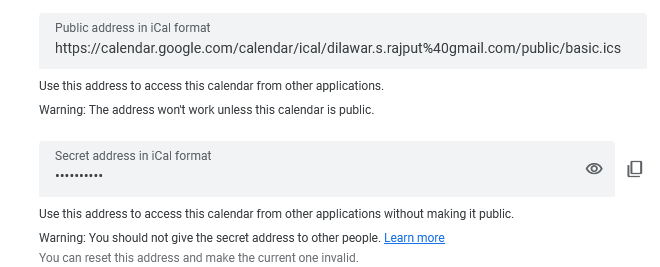
How to find an iCal url? Most calendar providers should have it enabled in settings. Here is a screenshot from google calendar.
You should use the private URL if you also want to see the title of the event.
On windows, you can add this tool to Task Schedular.
I can’t believe I am using Windows — things you do to make a living!