
Assuming that your self hosted signoz is at http://signoz.example.com:4317 (gRPC) or at http://signoz.example.com:4138 (json), following is a docker compose setup to scrape logs from docker and send them to a self-hosted signoz. Prefer grpc since it is very efficient when it comes to sending logs.
Using Logspout, a log forwarder
I am going to use gliderlabs/logspout. It collects logs from running containers (using docker.sock) and make them available via a tcp socket for otel-collector to read. One can also use fluentd etc. I found this to be a simpler solution for my needs.
Set up the tcp receiver in your otel-collector-config.yaml to listen for logs. I am going to use port 2255.
receivers: tcplog: listen_address: "0.0.0.0:2255"processors: batch: send_batch_size: 512exporters: debug: verbosity: detailed otlp: endpoint: http://signoz.example.com:4317 tls: insecure: trueservice: pipelines: logs: receivers: [tcplog] processors: [batch] exporters: [otlp]extensions: []
Run the Log Forwarder
In the following docker compose file, a service logspout collects logs from docker containers and make them available on port 2255. We then use the above otel configuration files to read logs from the port 2255 and send it to self-hosted signoz.
services: logspout: image: docker.io/gliderlabs/logspout volumes: - /etc/hostname:/etc/host_hostname:ro - /var/run/docker.sock:/var/run/docker.sock networks: - otel depends_on: - otel-collector command: tcp://otel-collector:2255 otel-collector: image: docker.io/otel/opentelemetry-collector-contrib restart: unless-stopped volumes: - ./otel-config.yaml:/etc/otelcol-contrib/config.yaml networks: - otel ports: - 4317:4317 # OTLP gRPC receiver - 4318:4318 # OTLP http receiver - 2255:2255networks: otel: driver: bridge
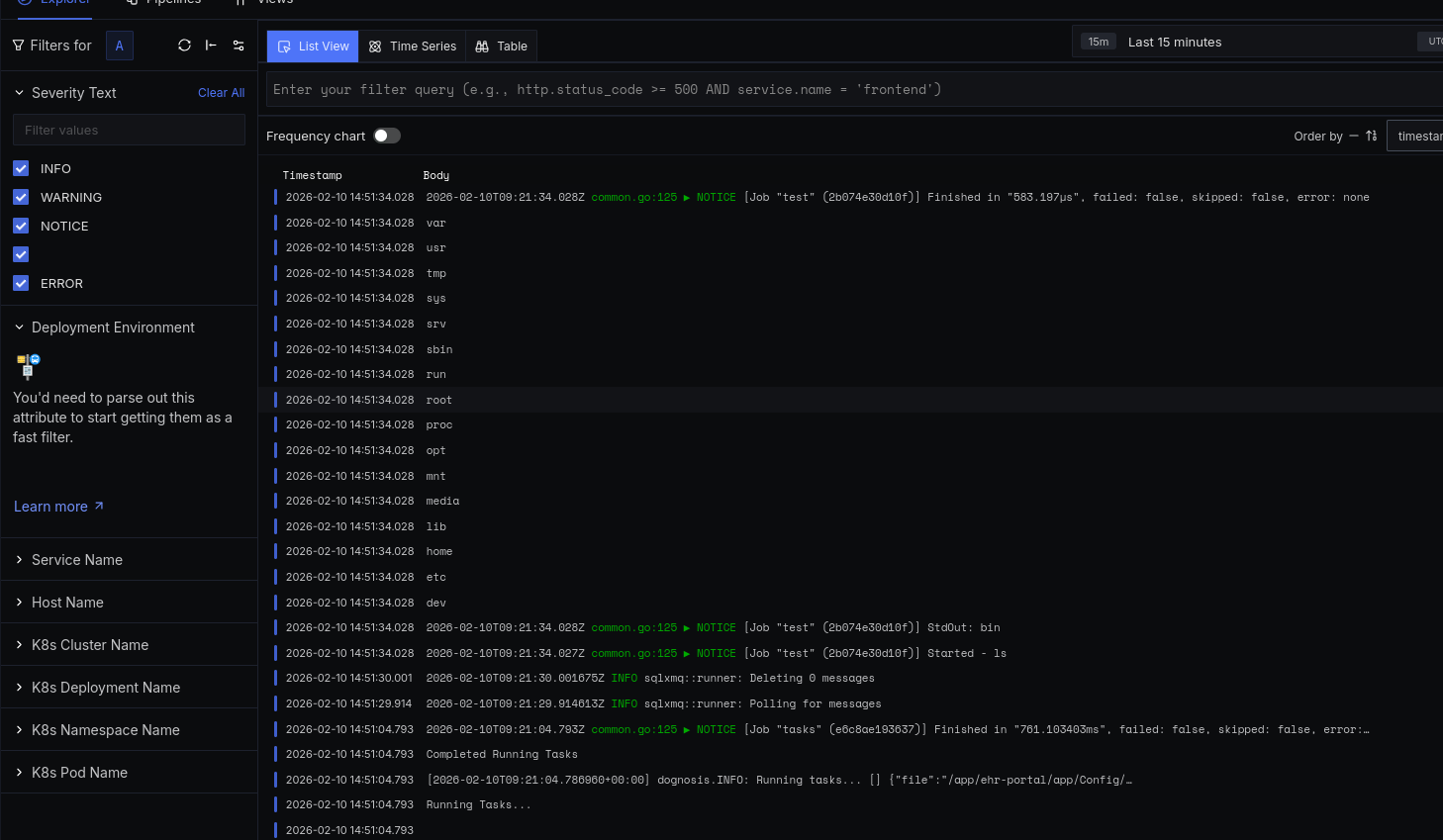
That’s it. Here is screenshot of collected logs.
