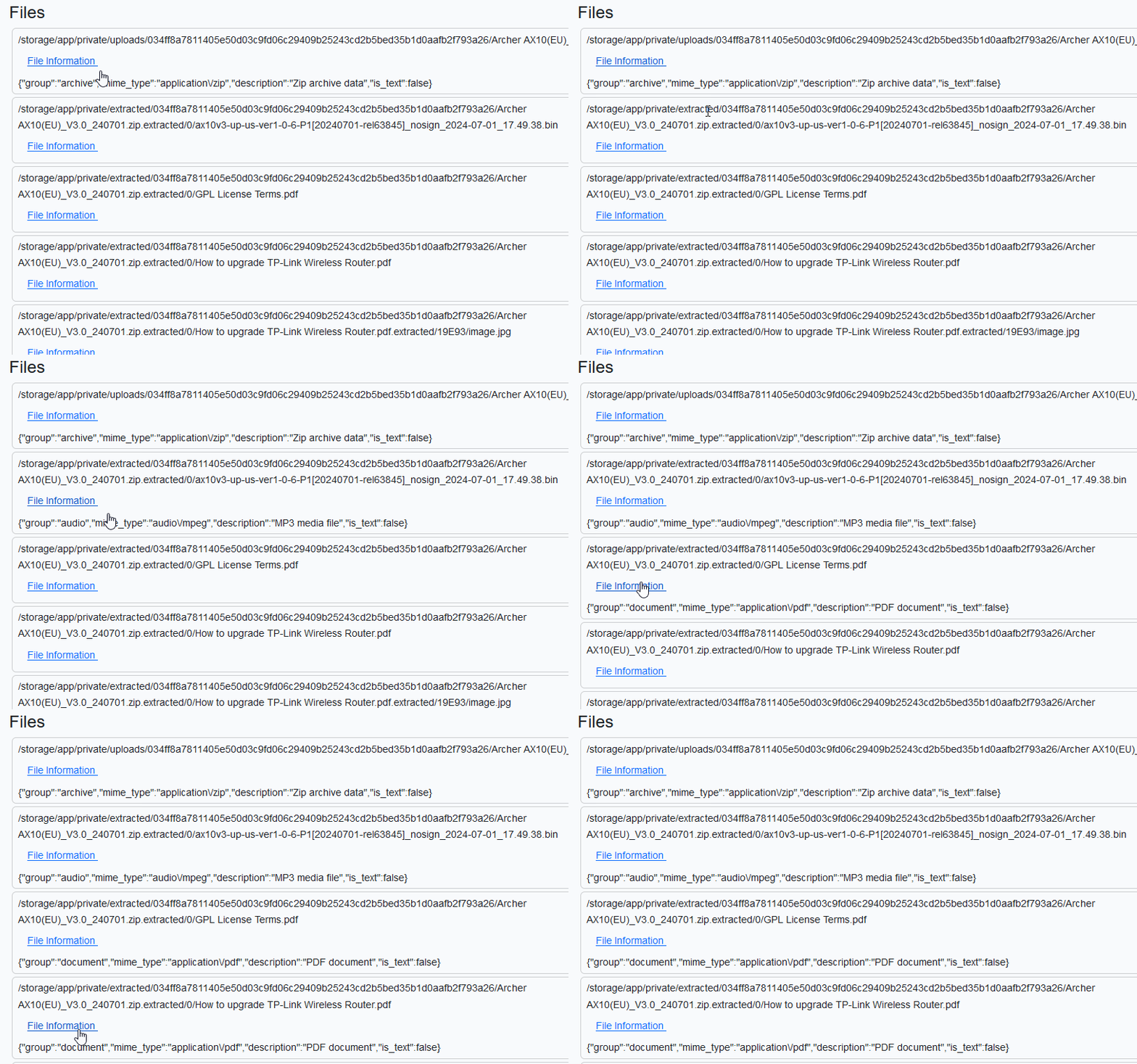
I’ve a list of uploaded files that I plan to render in a view. For each file, I want to call an API endpoint e.g. /api/v1/fileinfo to fetch some information and display it.

My blade template is following. A sample HTML page generated from it is shown above.
@extends('layouts.app')

@section('content')
    <div class="container">
        <h3>Files</h3>

        @foreach ($files as $file)
            <div class="card m-1 px-2 py-1">
                <div class="card-content">
                    {{ $file['display_name'] }}
                </div>
                <div>
                    <button class="btn btn-secondary">Show Information</button>
                </div>
            </div>
        @endforeach

    </div>
@endsection
Being old school, I don’t want to enable livewire/inertia just for this. I thought of of using AJAX which all the cool kids were using a decade ago.
Enter AJAX HTMX
Recently I read about HTMX. It is a good opportunity to play with it. The HTMX documentation (</> htmx ~ Documentation) is superb. The API looks great. AJAX can wait.
In code sample shown below, htmx-post define the endpoint that will be called with data defined in hx-vals when hx-trigger event occurs. The inner img with class htmx-indicator will get triggered and we’ll see a indicator spinning for a short while. The value received from server will be put into hx-target which has id $id. $id is generated randomly by PHP to create one-to-one mapping between hx-target and target div.
        @foreach ($files as $file)
            <div class="card m-1 px-2 py-1">
                <!-- Generate a unique id to insert content received from POST
                    request -->
                @php($id=uniqid("div_"))
                <div class="card-content">
                    {{ $file['display_name'] }}
                </div>
                <div>
                    <button class="btn btn-link"
                        hx-post="/api/v1/fileinfo"
                        hx-vals='{"path" : "{{ $file["path"] }}" }'
                        hx-target='#{{ $id }}'
                        hx-trigger="mouseenter"
                        >
                        File Information
                        <img class="bg-primary htmx-indicator" src="{{ asset('svg/90-ring.svg') }}" />
                    </button>
                    <div id="{{ $id }}">
                    </div>
                </div>
            </div>
        @endforeach
Let’s see this in action. We barely see the spinner since the request doesn’t take much time.

Importantly, note that we render raw JSON😢. HTMX expects HTML from servers and doesn’t support JSON → HTML conversion natively. Well, this sucks for obvious reasons. Who returns HTML from APIs?!
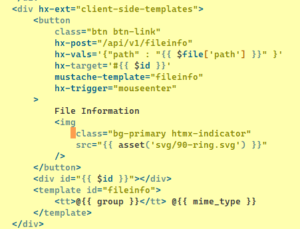
So we have to turn JSON into HTML by ourselves. Thankfully there are community maintained plugins such as client-side-templates. See https://github.com/bigskysoftware/htmx-extensions/blob/main/src/client-side-templates/README.md. The plugin documentation is pretty clear. I am going to show the final solution.
- The top-level
div has hx-ext set that enables the extension.
hx-target is replaced by mustache-template.- 👉🏾 Our
<template> is added. If you are using blade then you have to prefix mustache template with @ so that blade doesn’t touch them. The template create HTML out of JSON.
Let’s try again! Great, I got most basic functionalities working.

Apparently HTMX is quite powerful. You can search HN for resources https://hn.algolia.com/?q=htmx
 124 km more to go to finish 1000 km run this year. Pretty doable in 32 days!